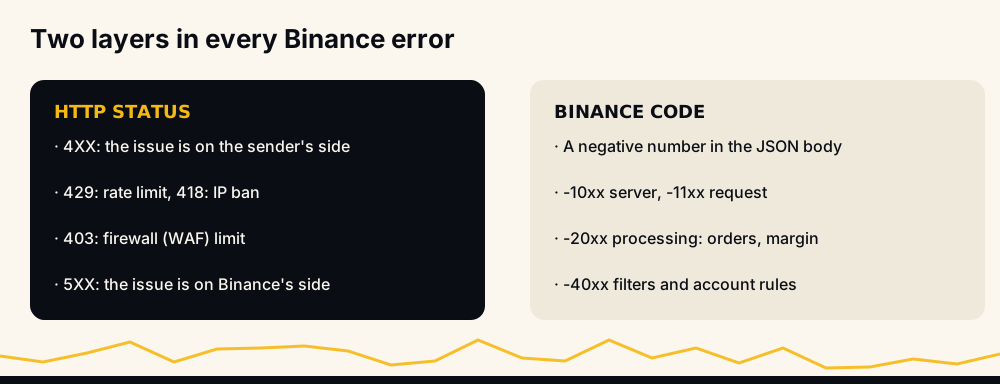
Binance Futures reports a problem in two layers: an HTTP status (such as 400, 403, 418, 429 or 503) that says what kind of failure it was, and a Binance code (a negative number such as -2019) that says exactly what was wrong. This page groups the codes traders and bots meet most on USDⓈ-M Futures, gives Binance's own wording for each, the fix, and whether retrying can help, with links to our full guides for the common ones.
How to read a Binance error
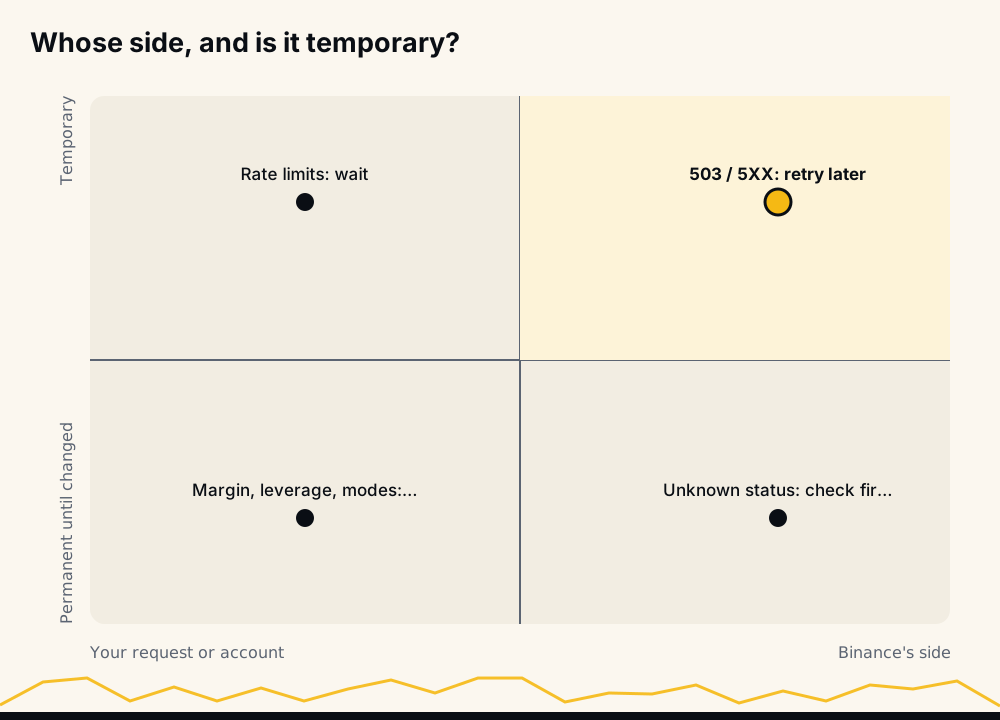
The HTTP status tells you whose side the problem is on. Binance's API documentation says 4XX codes are "used for malformed requests; the issue is on the sender's side", and 5XX codes are "used for internal errors; the issue is on Binance's side". Inside a 4XX response, the JSON body carries a code and a msg, such as {"code": -2019, "msg": "Margin is insufficient."}.
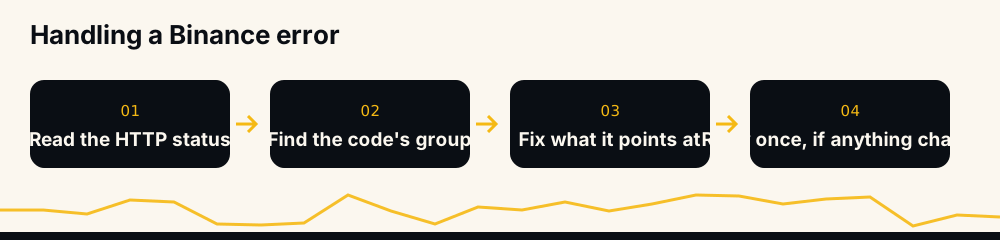
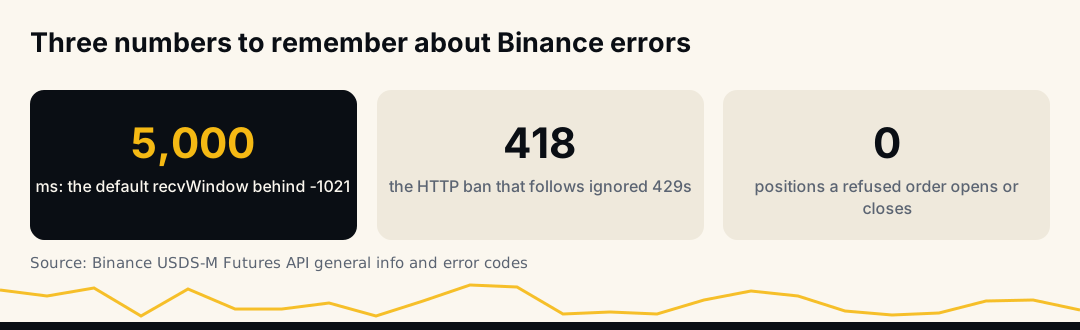
The one rule that saves the most money: a refused order changes nothing. Before you retry, ask what has to change for it to succeed. If nothing has, the retry will fail the same way.
Connection, rate limits and HTTP statuses
| Status or code | Binance's wording | What to do |
|---|---|---|
| HTTP 403 | Web Application Firewall limit violated | Slow down and check the request; do not hammer the endpoint |
| HTTP 408 | Timeout waiting for the backend | The request may or may not have executed: query the order before resending |
| HTTP 429 / -1003 | Request rate limit broken; "Too many requests" | Back off; use websocket streams instead of polling |
| HTTP 418 | IP auto-banned for continuing after 429 | Stop all requests until the ban expires |
| HTTP 503 "Unknown error" | Sent, but no response in time | Execution status is unknown: check before retrying |
| HTTP 503 "Service Unavailable" / "Internal error" | A failed operation | Retry later |
Binance's documentation is explicit about the first 503 variant: "It is important to NOT treat this as a failure operation; the execution status is UNKNOWN and could have been a success." A bot that blindly resends after it can open the same position twice. Use a deterministic client order ID, query by it, and only resend if the order does not exist.
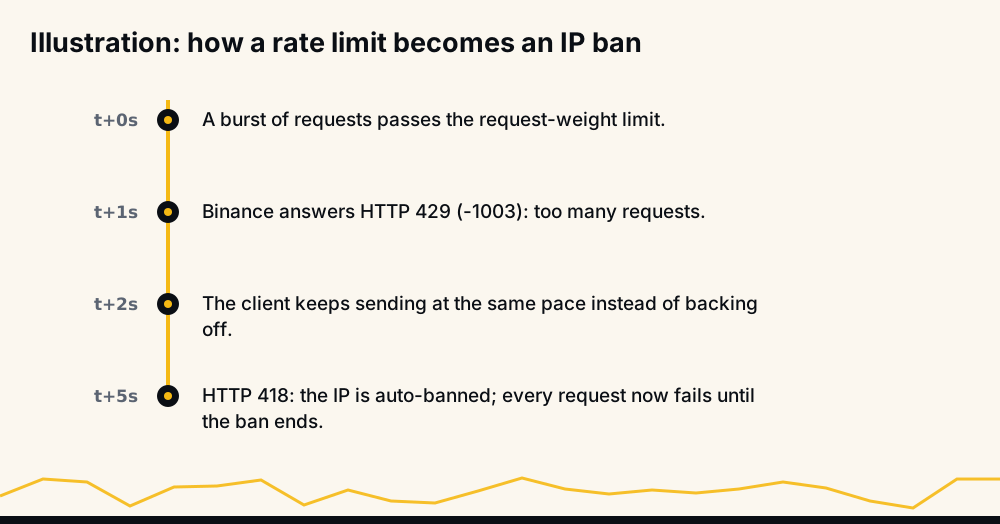
Our guide to Binance API rate limits that break trading bots covers request weights and how to stay under them.
Timestamps, signatures and API keys
| Code | Binance's wording | What to do |
|---|---|---|
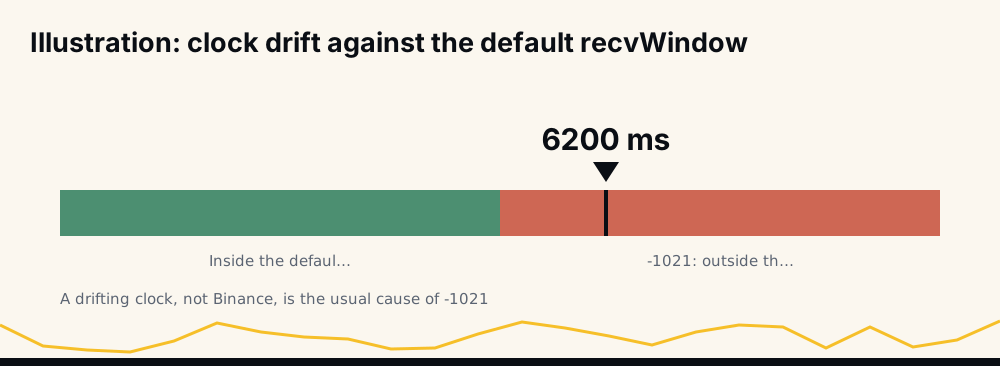
| -1021 | Timestamp for this request is outside of the recvWindow | Sync your clock with Binance's server time; recvWindow defaults to 5,000 ms |
| -1022 | Signature for this request is not valid | Wrong secret, or parameters encoded or ordered differently from what you signed |
| -2014 | API-key format invalid | The key was pasted incompletely or with extra characters |
| -2015 | Invalid API-key, IP, or permissions for action | Check the key exists, the IP whitelist and that futures is enabled |
-1021 is almost always a drifting clock on the machine sending the request, not a Binance problem; a larger recvWindow hides it but does not fix it.
 -2015 has three different causes behind one message; invalid API key, IP or permissions on Binance walks through each.
Order rules: precision, size and price
| Code | Binance's wording | What to do |
|---|---|---|
| -1111 | Precision is over the maximum defined for this asset | Round quantity to the symbol's step size |
| -4003 | Quantity less than zero | A sizing bug produced a zero or negative quantity |
| -4014 | Price not increased by tick size | Round the price to the symbol's tick size |
| -4164 | Order's notional must be no smaller than 5.0 (unless you choose reduce only) | Increase the order's value; reduce-only orders are exempt |
| -4131 | The counterparty's best price does not meet the PERCENT_PRICE filter limit | A market order into a thin book; wait or use a limit order |
| -2020 | Unable to fill | An order that must fill now (such as fill-or-kill) found nothing at its price |
| -2025 | Reach max open order limit | Cancel stale orders before adding new ones |
Step size, tick size and minimum notional all come from exchangeInfo for each symbol, and they differ between coins. Read them at start-up and round every order to them. The reduce-only exemption in -4164 matters for exits: a take-profit or stop that closes a small leftover can sit below the minimum and still be accepted, as long as it is sent reduce-only, so mark every exit that way.
Margin and balance
| Code | Binance's wording | What to do |
|---|---|---|
| -2018 | Balance is insufficient | The wallet itself is short; transfer funds |
| -2019 | Margin is insufficient | The order costs more than the balance available for orders |
-2019 is the most common refusal on accounts that run several positions. The order's cost includes Binance's buffer for market orders, and open orders, unrealized losses and isolated positions all reduce what is available. Margin is insufficient (-2019) goes through the seven causes in order.
Stops, take-profits and exits
| Code | Binance's wording | What to do |
|---|---|---|
| -2021 | Order would immediately trigger | The trigger is already met; check side and price, then decide to close or re-place |
| -2022 | ReduceOnly Order is rejected | The exit conflicts with the position or with existing orders |
| -2024 | Position is not sufficient | The reduce-only quantity is larger than the position |
| -2011 | CANCEL_REJECTED | The order could not be cancelled, usually because it already filled or was cancelled |
| -2013 | Order does not exist | The order ID is wrong, or the order is already gone |
A -2021 on a stop is the one that matters most: the position stays open without the protection you meant to give it. Order would immediately trigger (-2021) explains the trigger rules for each side, and reduce-only order failed covers -2022.
Leverage
| Code | Binance's wording | What to do |
|---|---|---|
| -4028 | Invalid leverage | Above the coin's maximum; pick a value the coin allows |
| -4421 | Subaccounts are restricted from using leverage greater than 5x | Sub-accounts are capped at 5x |
| -2027 | Exceeded the maximum allowable position at current leverage | Lower leverage or a smaller position |
| -2028 | Leverage is smaller than permitted: insufficient margin balance | Not enough margin to lower leverage |
| -4161 | Leverage reduction is not supported in Isolated Margin Mode with open positions | Close the position before lowering |
-4421 is not in Binance's public error list, but it is the message Binance returns, and its FAQ states the 5x sub-account rule behind it. Binance futures leverage limits covers brackets, the sub-account rule and the 20x limit on new accounts.
Account modes: margin type, position mode, Multi-Assets
| Code | Binance's wording | What to do |
|---|---|---|
| -4046 | No need to change margin type | Already set; nothing to do |
| -4047 / -4048 | Margin type cannot be changed if there exists open orders / position | Cancel orders or close the position on that symbol first |
| -4059 | No need to change position side | Already in that mode |
| -4061 | Order's position side does not match user's setting | One-way versus hedge mode mismatch |
| -4067 / -4068 | Position side cannot be changed if there exists open orders / position | Flatten the account, COIN-M included, then switch |
| -4167 / -4168 | Isolated margin and Multi-Assets mode cannot be combined | Use cross, or switch the account to Single-Asset mode |
The position mode codes are explained in what positionSide means, and the Multi-Assets family, -4167 to -4172, in Binance Multi-Assets mode.
Which errors are safe to retry
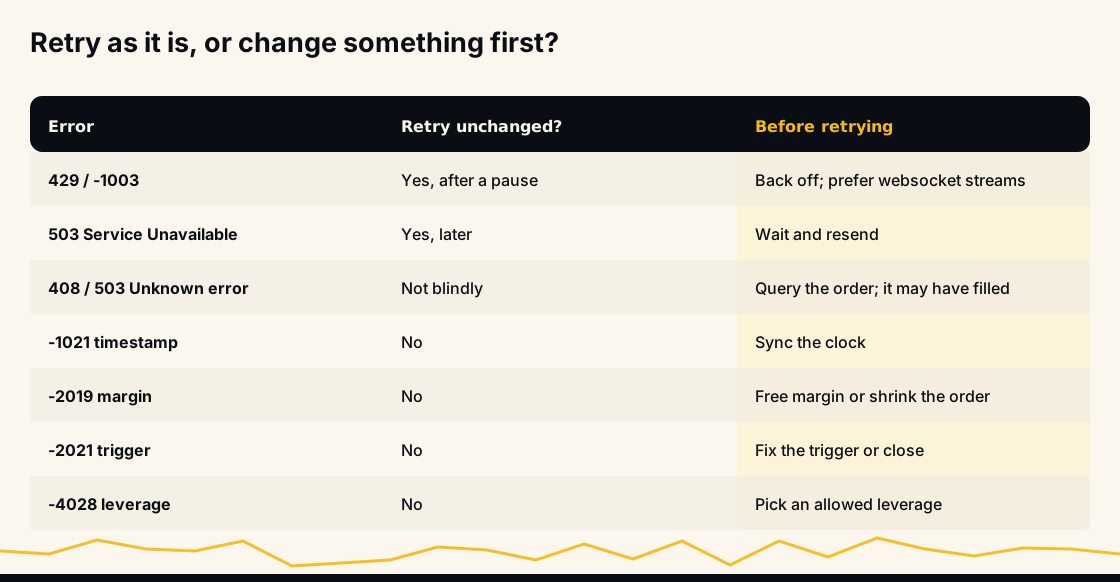
Only a few errors are worth retrying unchanged: rate limits after a pause, the 503 "Service Unavailable" and "Internal error" variants, and timeouts after you have checked that the order did not go through. Everything else is a statement about your request or your account, and resending the same thing gets the same answer. Retrying -2019, -2021 or -4028 in a loop only spends request weight, and can turn a 429 into an 418 ban.
What we see on members' accounts
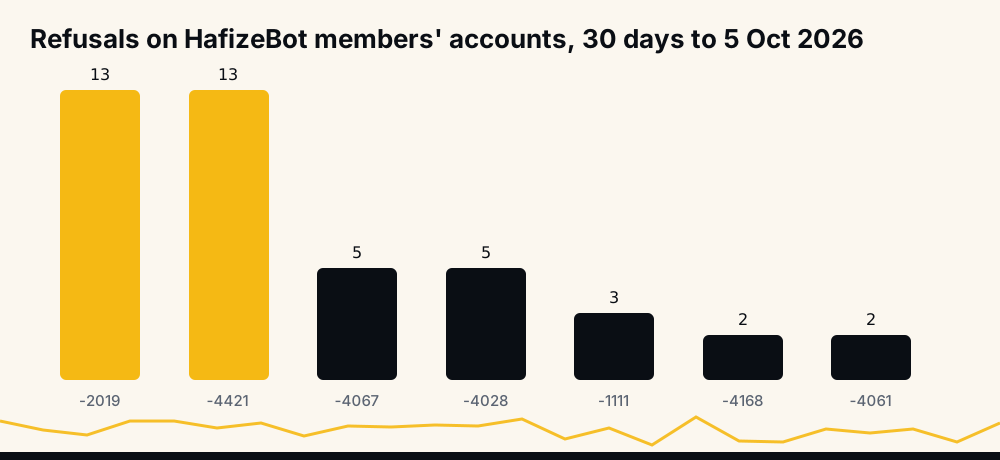
HafizeBot records every refusal Binance returns when it places a member's orders. Over the 30 days to 5 October 2026, the codes behind failed orders were, most frequent first: margin is insufficient (-2019) and the 5x sub-account limit (-4421), 13 times each; position mode changes blocked by open orders (-4067) and invalid leverage (-4028), 5 each; quantity precision (-1111), 3; the Multi-Assets isolated refusal (-4168) and a position-side mismatch (-4061), 2 each; then a margin type change blocked by an open position (-4048) and Binance's request to sign its TradFi-Perps agreement (-4411), once each. Almost every one is a setting or an agreement on the member's account, not a bug, and the bot's /lastsignals explains each in plain words.
Before you run a bot on Binance Futures
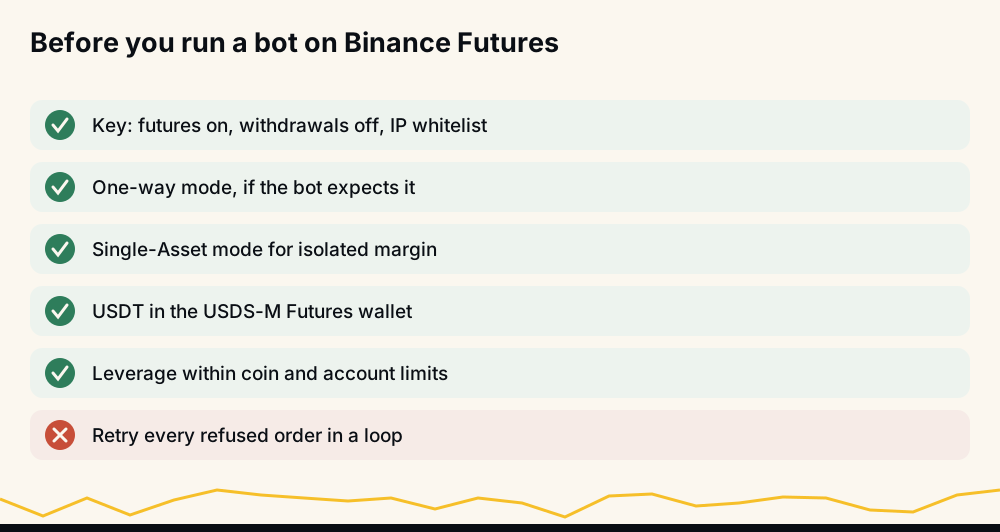
A few checks remove most of the codes above before they happen: a key with futures enabled, withdrawals off and an IP whitelist; one-way mode if the bot expects it; Single-Asset mode if it uses isolated margin; USDT in the USDⓈ-M Futures wallet; leverage within the coin's and the account's limits; and a clock synced with the internet. How to connect a trading bot to Binance safely covers the key itself.
Frequently asked questions
What are Binance Futures error codes? Negative numbers Binance returns in an API response to say why a request was refused, alongside an HTTP status. Binance groups them as -10xx server or network issues, -11xx request issues, -20xx processing issues (orders, margin, keys), -40xx filters and other issues (symbol rules, leverage, account modes), and -50xx order execution issues.
What does Binance error -2015 mean? "Invalid API-key, IP, or permissions for action": the key does not exist or was deleted, the request came from an IP not on its whitelist, or the key lacks the permission, such as futures trading.
How do I fix Binance error -1021?
Sync the sending machine's clock with Binance's server time. The default recvWindow is 5,000 ms; raising it hides small drift but not a clock that is wrong.
What does HTTP 418 mean on Binance? Your IP was automatically banned for continuing to send requests after receiving 429 rate-limit responses. Stop sending, wait for the ban to expire, and add back-off to your code.
Is it safe to retry a Binance order after a 503 error? Only after checking. If the message is "Unknown error", Binance says the execution status is unknown and the order may have gone through; query it by its client order ID first.
What does -4164 mean on Binance? The order's value is below the minimum notional, which Binance's message gives as 5.0 for the order you sent. Reduce-only orders are exempt.
The short version
Read the HTTP status to know whose side the problem is on, read the code to know what it is, change what the code points at, and retry only when something has changed. For timeouts and 503 "Unknown error", check the order before you resend.
Every signal HafizeBot sends is published with its result on the performance page, misses included, and the same signals reach the free Telegram channel 20 minutes after VIP. This is information, not investment advice: leveraged futures can lose more than you expect, so trade only what you can afford to lose.