Binance error -2015, "Invalid API-key, IP, or permissions for action", means Binance refused the key before any order was considered. It is almost never a hacked key and almost always one of three settings: Futures is not enabled on the key or the account, the key is restricted to an IP address that is no longer the bot's, or the key was regenerated and the old secret quietly died. A well-built bot doesn't retry through this. It switches autotrading off for that user and says so, because a key that fails once will fail on every request until you fix it.
This is written from operating an autotrader for VIP members, where -2015 is the single most common reason a user's trading stops. The fix takes about five minutes once you know where to look. The article is ordered so you find it in that time.
What -2015 actually says
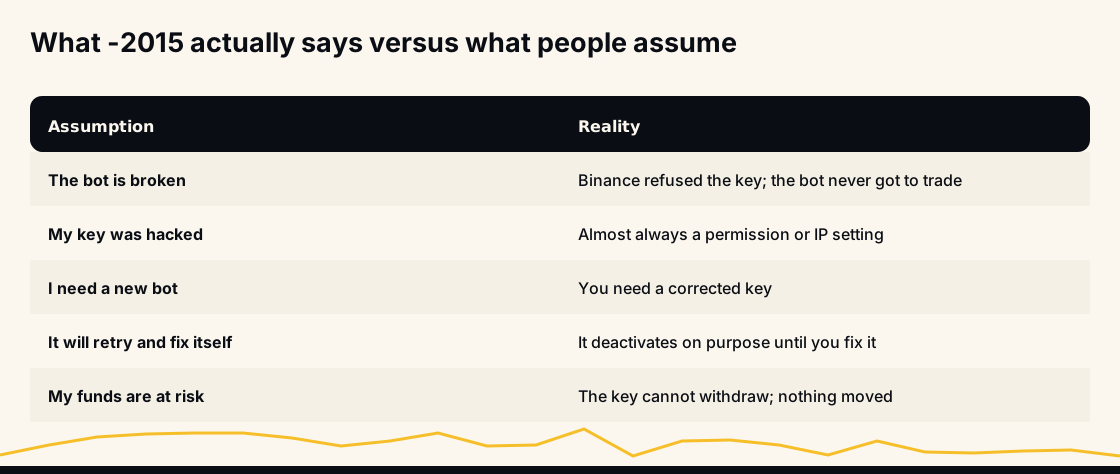
This error comes from Binance itself. The request reached the exchange, the exchange looked at the key, and the exchange declined to act. That rules out most of the scary interpretations:
- The bot is not broken. It never got as far as trading.
- Your funds did not move. The bot never calls a withdrawal or transfer in the first place, and a rejected request does nothing.
- You do not need a different bot. You need a key Binance accepts.
What you cannot tell from the error alone is which of the three settings is wrong. Binance deliberately returns one code for all of them. That is why the checklist below is ordered by how often each one turns out to be the cause.
What the bot does the moment it sees -2015
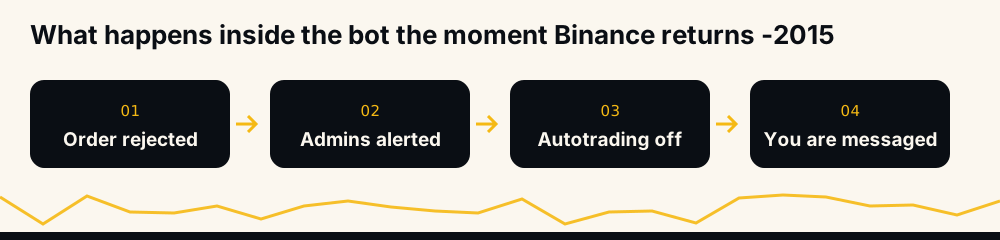
Here is the actual behaviour, because it explains the message you received.
When an order request comes back with -2015, the executor alerts the admins with the phase, the user and the error, then hands the user to the deactivator. The deactivator marks autotrading inactive for that account and sends you a message saying the bot is disabled because of an issue with the API keys or because the Futures option is not enabled, and asking you to check both.
Deactivation is deliberate. Retrying a rejected key forever would spam Binance, risk a rate-limit ban that hurts everyone on the same IP, and hide the cause behind a wall of identical failures. Stopping and telling you is the only sane response. Nothing is placed for you again until you re-enable autotrading from the bot's API settings after fixing the key.
The fix, in the order that finds it fastest
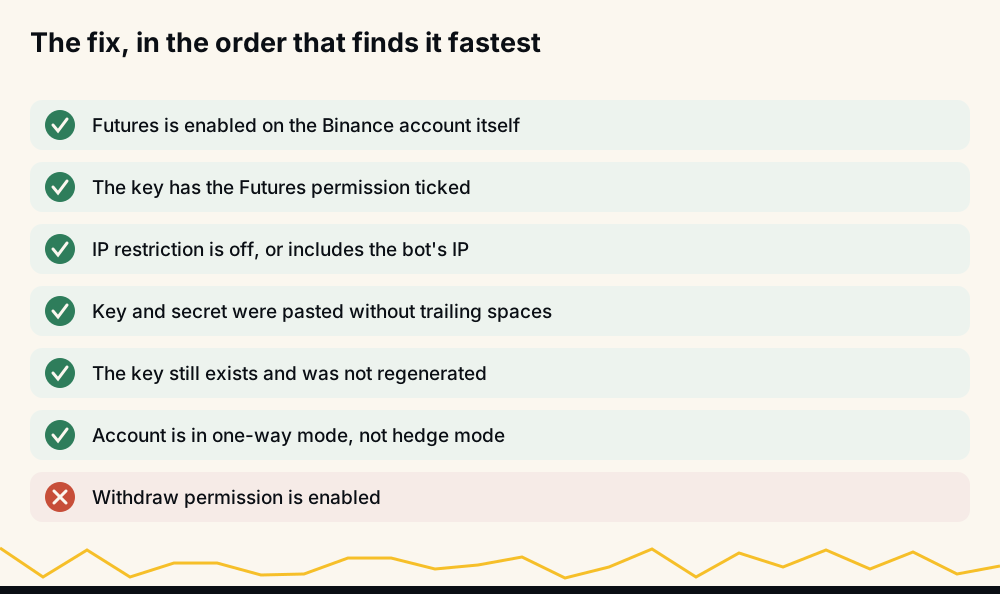
Go down this list and stop at the first one that is wrong.
1. Futures is enabled on the Binance account itself. This is the account setting, separate from the key. A new Binance account has spot only until you open Futures: you pick an experience level and accept the Futures agreement, and Binance requires identity verification before you can trade. If you have never traded futures on that account, this is the cause.
2. The key has the Futures permission ticked. On the API management page, each key has its own permission boxes. "Enable Futures" is not on by default. This is the single most common cause.
3. The IP restriction is off, or includes the bot's IP. A key can be restricted to specific IP addresses. If you restricted it to your home address, it worked until your provider rotated the address. If you restricted it to an old server, it died when the server changed.
4. The key and secret were pasted without trailing spaces. Copy from a browser often carries a trailing space or newline. Binance sees a key that does not exist.
5. The key still exists. If you regenerated it during a security review, or Binance rotated it after a settings change, the old secret is dead and the bot is presenting it.
6. The account is in one-way mode. Hedge mode is not strictly a -2015 cause, but it is the next thing to fail once the key is accepted, so check it now.
Not on the list: withdrawal permission. A trading bot must never have it. If a fix guide tells you to enable withdrawals, close the guide.
Futures permission against IP restriction
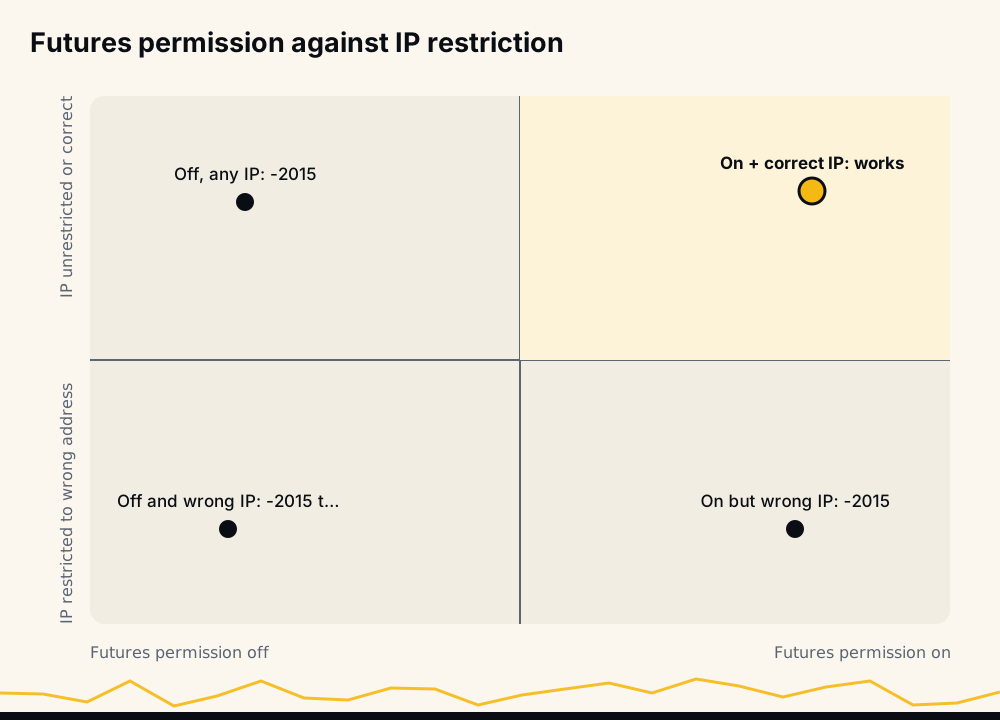
Two of the three causes interact. The key needs the Futures permission and an IP setting that admits the bot. Either one wrong produces the same -2015, which is why people who fix the permission and still see the error give up too early. Fix one, test, then fix the other.
The permission set a bot needs
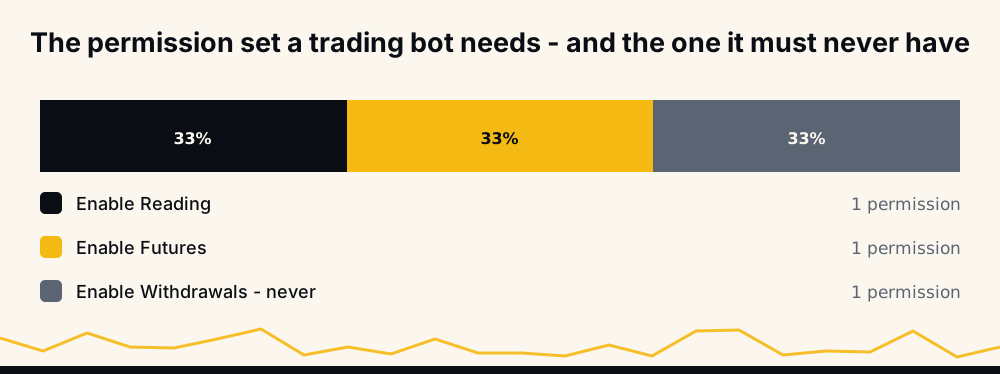
Two permissions: Enable Reading and Enable Futures. That is the complete list. The bot needs to read your positions and place futures orders, and nothing else.
Withdrawals stay off, permanently. A key without withdrawal permission has no path to move funds off your account, whether the bot is running, stopped, compromised or not. The full walkthrough is in connecting a trading bot to a Binance API key safely; the permission section there is the part to re-read if you are unsure what to tick.
The other error that deactivates: -2019
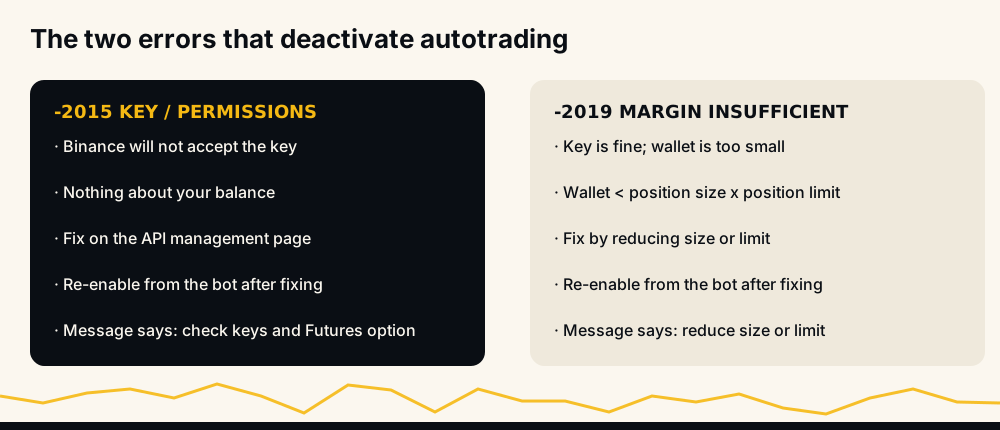
The bot deactivates on exactly two codes. The second is -2019, margin insufficient, and it is worth knowing because people confuse the two.
With -2019 the key is fine. The wallet is too small for the settings. The bot's message says so directly: your wallet must be larger than your position size multiplied by your position limit, so reduce one of them. It is a sizing problem, not a permissions problem, and the fix is in the bot's settings rather than on Binance.
If you are unsure which you hit, read the message the bot sent. The two are worded differently on purpose. For the sizing side, how much money you need to start crypto futures walks through the arithmetic.
The life of a key, and where -2015 tends to appear
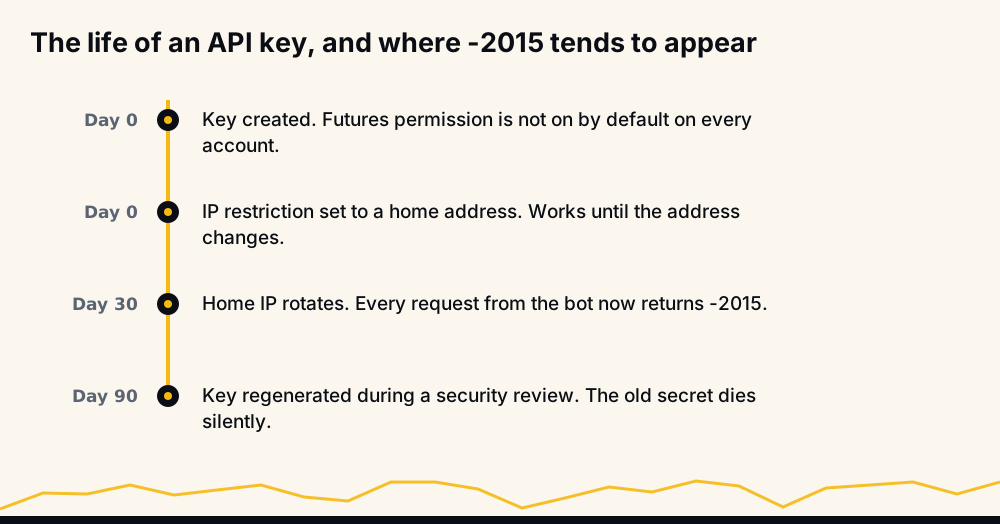
The error clusters at predictable moments. Day one, when the key was created without the Futures box ticked. Some weeks in, when a home IP rotates under a restricted key. And months in, when a security review regenerates the key and nobody updates the bot.
Knowing the cluster helps: if the bot ran fine for a month and stopped today, the cause is almost certainly an IP change or a regenerated key, not a permission that was fine yesterday.
How long the fix takes
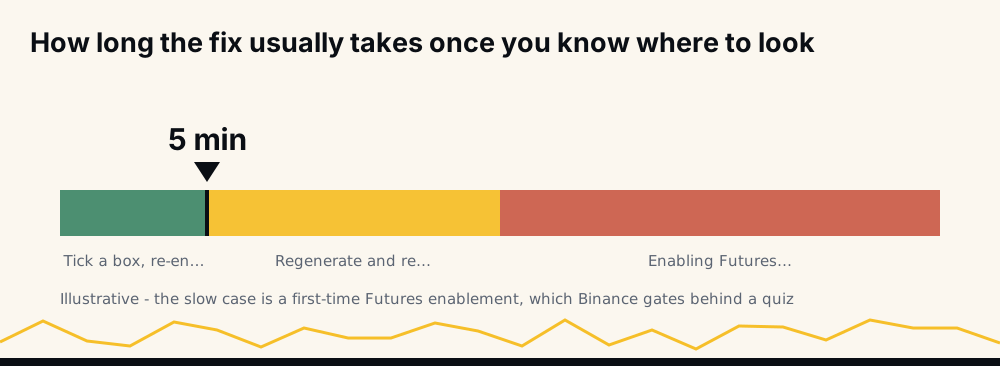
Ticking a permission box and re-enabling takes minutes. Regenerating the key and re-entering it takes a few more. The slow case is enabling Futures on the account for the first time, which needs Binance's Futures agreement and identity verification. Even that is a one-time cost.
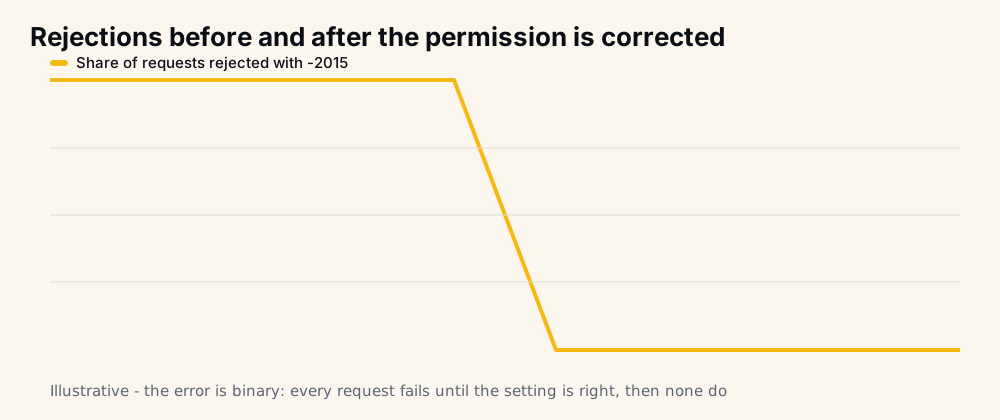
The error is binary. Before the fix every request fails; after it, none do. There is no partial state, which is useful for testing: place one small order manually, or re-enable and wait for the next signal. If the first request succeeds, they all will.
Should you use an IP restriction at all?
Binance lets a key be restricted to a list of IP addresses, and treats unrestricted keys as the riskier kind. Restriction is safer: a leaked key that only works from one address is a leaked key that mostly does not work. The cost is exactly the failure this article is about: the address has to be the bot's, and it has to stay the bot's.
For a bot running on fixed server infrastructure that is a fair trade. Ask the operator for the address to whitelist, enter it, and the key is both restricted and functional. For a bot running on a home machine it is a poor trade, because home addresses change without warning and every change is a silent -2015 until someone notices.
Whatever you choose, check Binance's current rules on the API management page rather than relying on memory; the exchange has adjusted what unrestricted keys are allowed to do more than once, and a permission that quietly lapses looks identical to one you never granted.
Testing a key before you trust it with orders
The cheapest test is a read. A key with Enable Reading will answer a balance or position query even if Futures is off; a key that fails the read is wrong in a way no permission box will fix: it's mistyped, or dead. Do that first.
The second test is the bot's own first order. Because -2015 is binary, one accepted order proves the key, the Futures permission and the IP setting all at once. Re-enable autotrading, keep position size small for the first signal, and wait. If the account-update message arrives after the fill, the user-data stream is connected too and the whole path is verified.
What the admins see during all this is the same alert you trigger: the phase the request was in, your username, and the code. That is how a pattern of -2015 across many users gets spotted as an exchange-side change rather than forty separate mistakes.
Re-enabling after the fix
Once Binance accepts the key, autotrading does not switch itself back on. That's deliberate. The bot doesn't know whether you have finished fixing things, and a wrong guess would place orders on a half-fixed key. Re-enable it from the bot's API settings. The first successful order confirms the fix; the account-update message you receive after it fills confirms the user-data stream is connected too.
If the bot deactivates again on the same code, you have fixed one of two causes. Go back to the checklist and continue from where you stopped.
What the bot will not do with your key
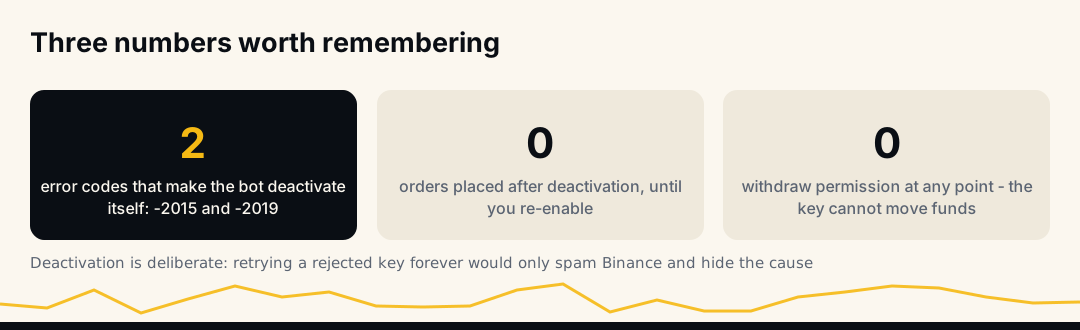
Because the question always comes up: the bot places orders and reads positions. It never calls a withdrawal or transfer, and the key it needs requires no withdrawal permission. It does not retry a rejected key. It does not silently continue on an error that means every request will fail. And if it is deactivated, nothing happens to your open positions; the take-profit and stop already rest on Binance.
Whether the mechanism produces results is a separate matter, and the only real answer is the record on the live performance page, regenerated hourly with expired signals counted against the rate. For a direct question about your account, the bot answers at t.me/hafizebot. And if a reduce-only exit ever fails after the key is fixed, reduce-only order failed on Binance is the next thing to read.
Frequently asked questions
What does Binance error -2015 mean? "Invalid API-key, IP, or permissions for action." Binance refused the key before considering the order. It is one code for three causes: Futures not enabled, an IP restriction that excludes the bot, or a key that no longer exists.
Why did the bot turn off autotrading instead of retrying? Because a key that fails -2015 once fails on every request. Retrying would spam Binance, risk a rate-limit ban, and hide the cause. The bot deactivates, alerts the admins and messages you, then waits for you to fix it and re-enable.
Was my API key hacked? Almost certainly not. -2015 is a permission, IP or existence problem in nearly every case. And a key without withdrawal permission cannot move funds regardless.
I enabled Futures on the key and still get -2015. Why? Check the IP restriction next. Futures permission and IP restriction are independent, and either one wrong produces the same error. Then confirm the key was pasted without trailing spaces and still exists.
What is the difference between -2015 and -2019? -2015 is about the key: Binance will not accept it. -2019 is about the wallet: the key is fine but margin is insufficient for your position size and limit. The bot sends a different message for each.
Do my open positions close when the bot deactivates? No. Deactivation stops new entries. Existing positions and their take-profit and stop orders stay on Binance, untouched.
Closing note
-2015 is a settings error with a five-minute fix and a scary name. Work the list in order, re-enable once Binance accepts the key, and keep withdrawals off forever.
None of this is investment advice. Cryptocurrency futures carry a high risk of loss; trade only with money you can afford to lose.