If the bot stops, your open positions stay exactly where they are, and so do their exits. On Binance Futures, the take-profit is a reduce-only LIMIT order and the stop-loss is a reduce-only STOP_MARKET order, and both are sent to the exchange right after Binance accepts the entry. They live on Binance; the bot's memory doesn't hold them. If the process dies, they keep waiting for price to reach them, and Binance fills them whether or not anything is watching. What stops is everything that requires a running process: new entries, cleanup, and the Telegram messages that tell you a fill happened.
This article is written from running an autotrader across 500+ Binance USDT-M pairs. It describes what the software actually does, including the parts that are inconvenient, because "what happens if it crashes" is the question every sensible person asks before handing an API key to anything.
Where each order lives once a trade is open
The reassuring answer above depends on one design decision, so it is worth being precise about it. When a signal passes the member's filters, the bot places up to three orders.
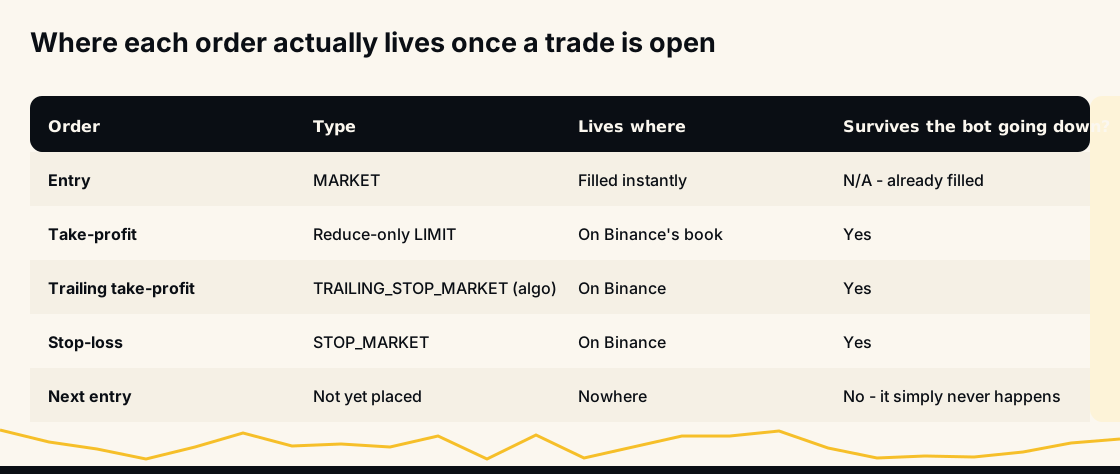
The entry is a MARKET order. It fills within moments, which is the point: a signal is time-sensitive and a limit entry that never fills is worse than a small amount of slippage. Once filled, the entry is history. There's nothing left to survive or fail.
The take-profit is a reduce-only LIMIT at the signal's target. Reduce-only means Binance will only ever let it shrink or close the position, never open a new one or flip direction. It is submitted to Binance and sits on the book. If the member has chosen a trailing take-profit instead, it is a TRAILING_STOP_MARKET held by Binance's conditional-order service: still on the exchange, still independent of the bot. With merged take-profits on (the default since 30 September 2026), a second entry on the same coin replaces the take-profit with one order for the bot's whole quantity at the size-weighted target.
The stop-loss is a STOP_MARKET, also reduce-only and also held by Binance, placed only when the member has a stop set. New accounts start with one: 10% from each entry's price. The stop distance is defined without leverage, so a 2% stop means a 2% move in price rather than a 2% move in your margin. With the stop type SINGLE (the default), each entry gets its own stop for its own quantity; with COMBINED, one stop covers the whole position.
Every order carries a client order ID built from the signal and the member, and the bot checks for that ID before it sends an entry, so a retry after a crash cannot open a second position for the same signal.
The flow that makes this work
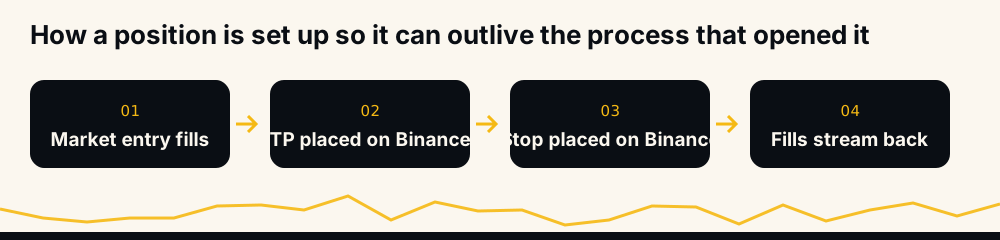
The order of operations matters. The take-profit and the stop are sent straight after Binance accepts the market entry, for the entry's quantity. There is no step where an exit waits in the bot's memory for a later moment.
From that point, information flows the other way. Binance pushes every fill and position change back over the user-data WebSocket stream. The bot does not poll to find out whether your take-profit hit; the exchange tells it. That is also why the bot can be down for a while and pick up the account's current state when it returns: the state of truth was never in the bot.
What keeps working during an outage
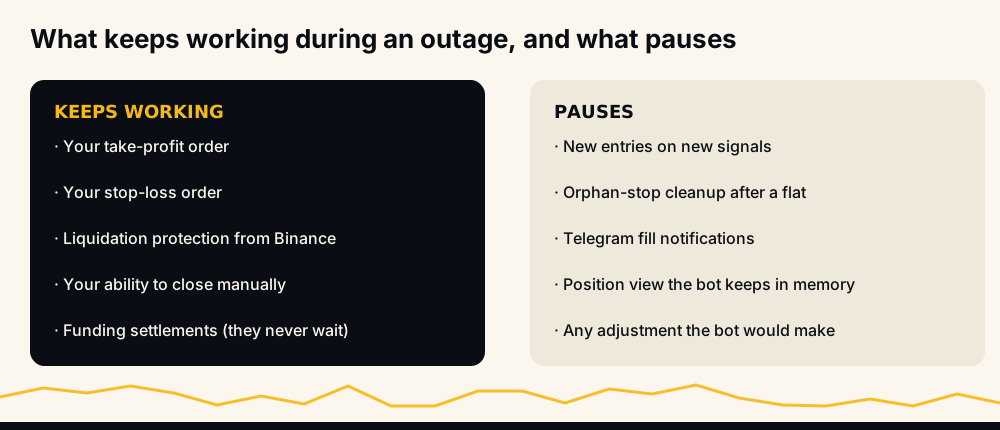
Your take-profit keeps working. If price reaches the target, Binance fills the reduce-only LIMIT and the position closes. The money is in your wallet at that moment; the Telegram message about that fill is the part that goes missing, as the next section explains.
Your stop keeps working. Same mechanism. A STOP_MARKET on Binance triggers on Binance.
Liquidation is Binance's, not the bot's. The exchange's own margin engine does not care whether your bot is alive.
You can always act manually. Nothing about the bot's setup locks you out of your own account. You can close a position, move a stop, or cancel an order from the Binance app at any moment.
Funding never waits. Funding settlements happen on their schedule regardless. If you are holding a position through an outage, funding is still being paid or received.
What pauses, and why it matters
New entries stop. No signal is traded while the bot is down. There is no queue that replays missed entries later, and there should not be: a signal from forty minutes ago is not the same trade.
Orphan cleanup pauses. This is the one that needs explaining. When an entry's take-profit fills, its own stop is left on Binance with nothing to protect. The bot normally sees the fill on the user-data stream and cancels that stop straight away, and when a coin's position goes flat it cancels every stop left on that coin. Down, it cannot.
Fill messages for that window are not sent. Fills that happen while the bot is down are not replayed when it reconnects, so the Telegram messages for them never arrive. Binance's own trade history has every one of them.
The in-memory position view goes stale. On restart the bot rebuilds it from the exchange, positions and open orders both, which is the whole reason it can be trusted. Your coin pause, if you set one, is kept across a restart.
An outage, minute by minute
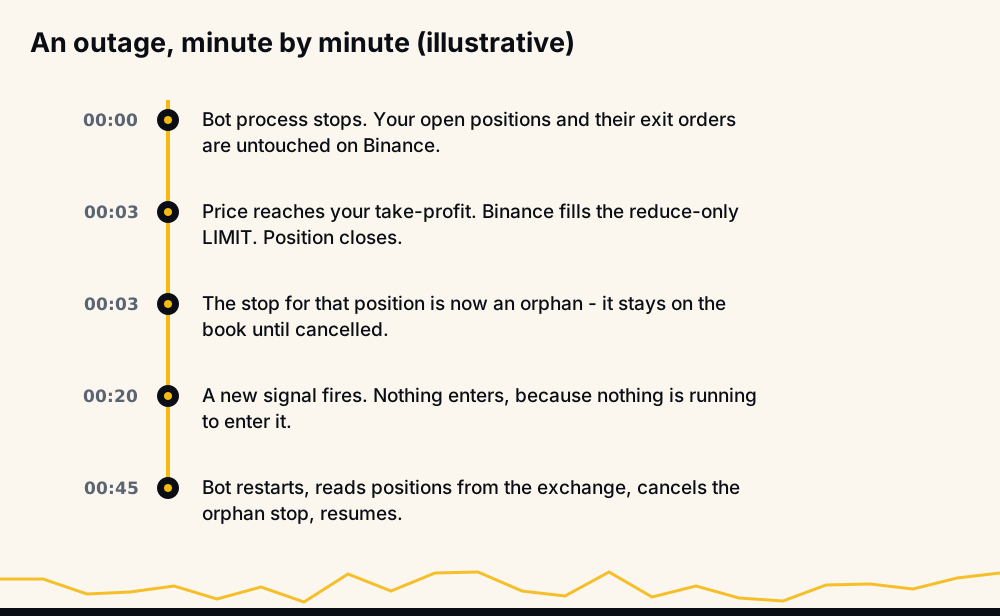
The timeline above is illustrative, but the sequence is what happens. The only awkward moment is the orphaned stop: a STOP_MARKET that survives its position.
What is the risk of an orphan? Less than it sounds. The bot sends every stop as reduce-only, which Binance only lets shrink an existing position, so a triggered orphan cannot open a position of its own. It is still worth clearing: it would act on any later position on the same coin, whether you open it by hand or the bot opens it on a new signal, closing part of it at a level nobody chose for that trade. That is why the bot cancels orphans when it is running, and why the checklist below includes looking for them.
The orphan stop, and how the bot handles it
Here is the actual behaviour, because it is the part most bots get wrong. Every account update from Binance carries a position amount per symbol. When that amount reads zero for a symbol the bot was trading (and the update isn't merely a funding-fee event), the bot clears its own record of the position and then cancels every STOP_MARKET it holds for that symbol, on both sides.
If Binance rejects a cancel, the bot logs a warning with the order ID and moves on rather than retrying blindly. If the cancel throws, it logs an error. Either way, nothing about the orphan is hidden.
A restart is different. When the bot comes back, it reads open positions and open orders from the exchange, so it knows the leftover stop is there, but it does not cancel it on the spot: that cleanup runs when the bot sees a coin's position close, and a close that happened during the outage is not replayed. The stop stays until that coin's next close, or until you cancel it. After any outage, look for it yourself.
What to check yourself if the bot is unreachable
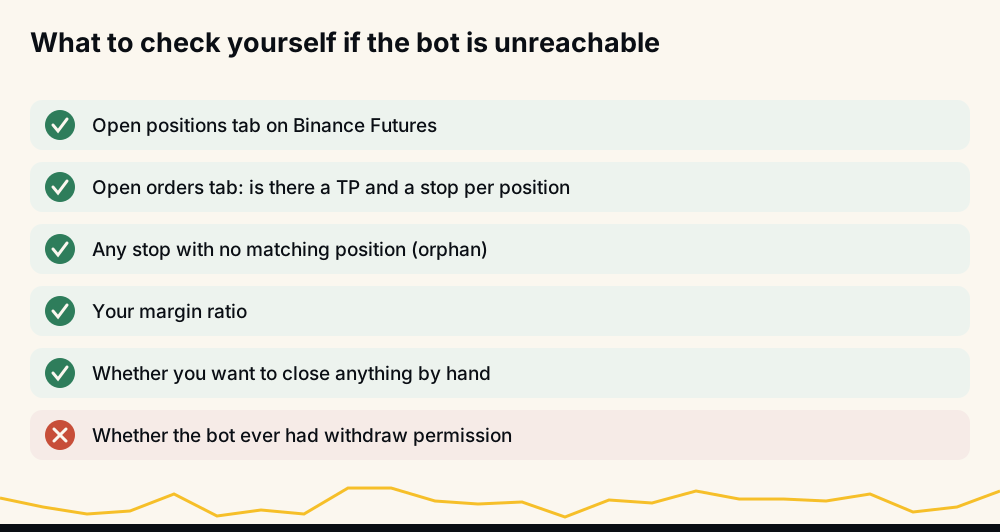
Two tabs on Binance Futures answer every question in this article: Positions and Open Orders.
For each open position, you want to see a reduce-only take-profit (one for the whole position with merged take-profits, otherwise one per entry) and, if you set a stop, a STOP_MARKET on the opposite side (one per entry with SINGLE, one for the position with COMBINED). If you see a stop with no matching position, that is an orphan; cancel it. If a position has no stop because you never set one, that was true before the outage too, and the outage did not change it.
Then look at your margin ratio. If it was comfortable before, it is comfortable now; the bot's absence does not change your leverage.
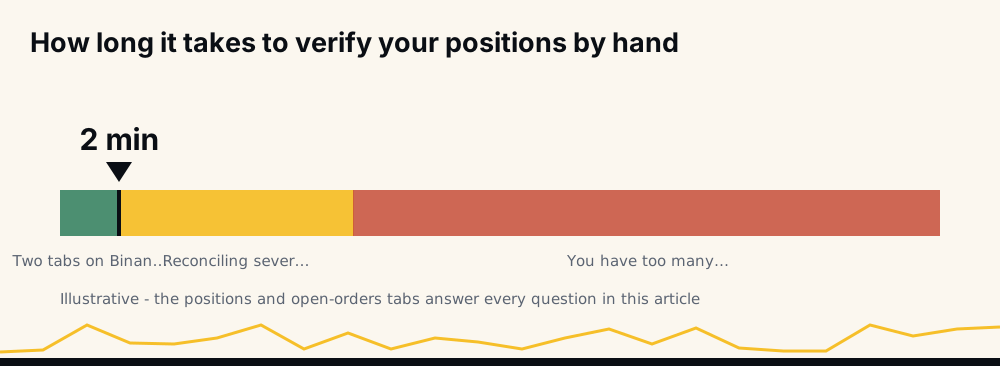
The whole check takes a couple of minutes for a normal account. If it takes half an hour, the problem isn't the outage. It's that you have more simultaneous positions than you can reason about, and the position limit exists for that.
Everything you can do by hand
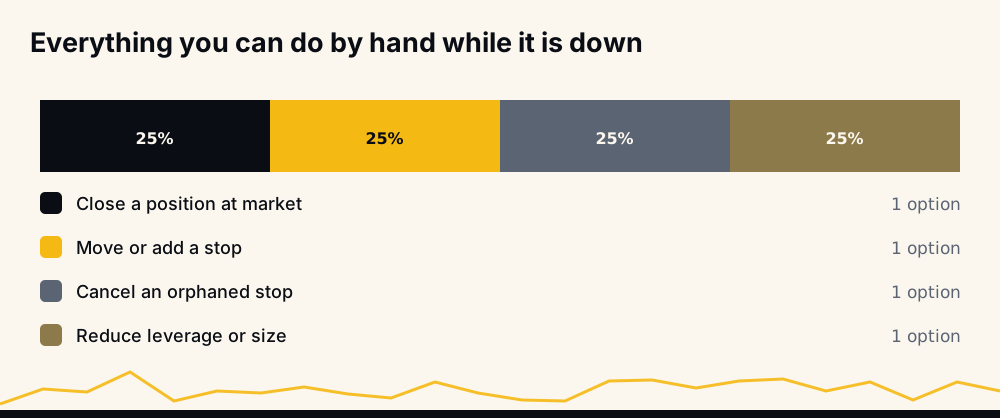
Manual intervention is allowed at any time, running or not. You can close at market, move or add a stop, cancel an orphan, or reduce size. The one thing to know is how the bot's stop relates to what you add by hand. With SINGLE stops, each bot entry has its own stop for its own quantity, so a quantity you add by hand has no bot stop under it, and the bot's exits never close it. With COMBINED, the bot sizes one stop against the whole position, including what you added. Check which mode you are in (/summary in @hafizebot shows it) before assuming the resting stop covers the whole thing. The guide on setting a stop-loss in crypto covers the sizing arithmetic.
When auto-trading is switched off rather than down
The bot can also stop trading for one account while it keeps running for everyone else, and the rule is the same: positions and orders already on Binance are left as they are.
- You send
/off, or delete your key on the website: no new entries; nothing open is touched. - Binance refuses an entry for lack of free margin (error -2019): the bot switches auto-trading off at the first refusal and tells you once, because the rest of a burst of signals would be refused too. Your open positions, their take-profits and their stops are not touched.
- Switching back on:
/onfirst asks Binance whether your saved key works. If Binance refuses it, or Enable Futures is not ticked, you stay off and are told why.
Your exposure is decided by two settings you chose earlier
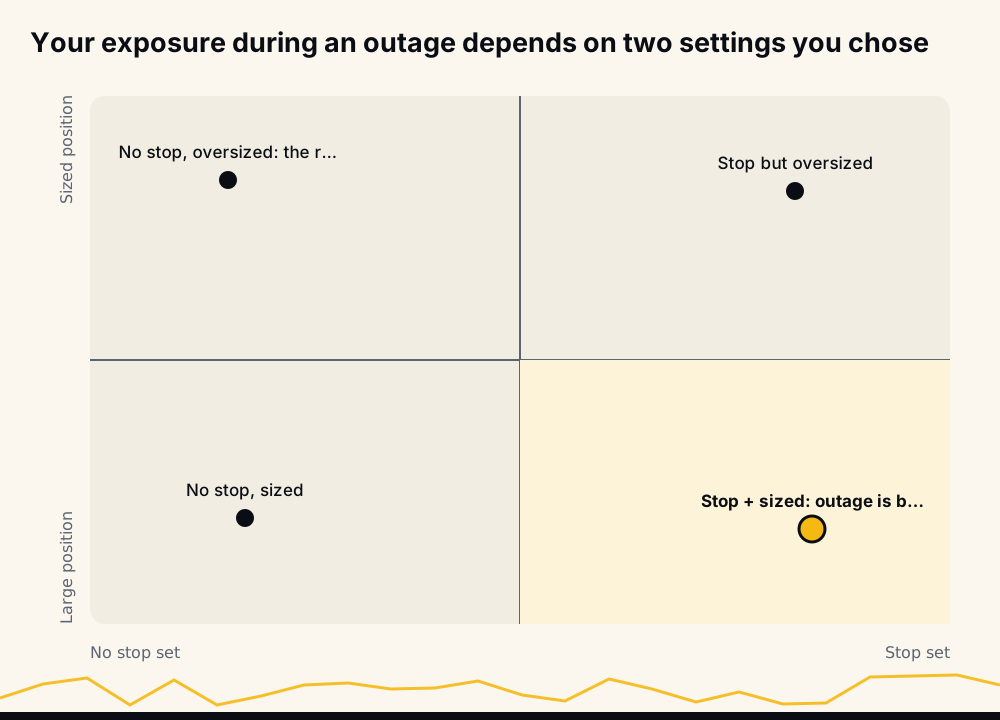
An outage does not create risk. It reveals the risk you were already carrying.
If you set a stop and sized positions sensibly, an outage is boring: your exits are on the exchange, and the worst case is a missed entry and a leftover stop to clear. If you set no stop and sized large, the outage isn't the problem. The position was always exposed, and the bot being alive would not have changed that, because the bot only places the stop you configure.
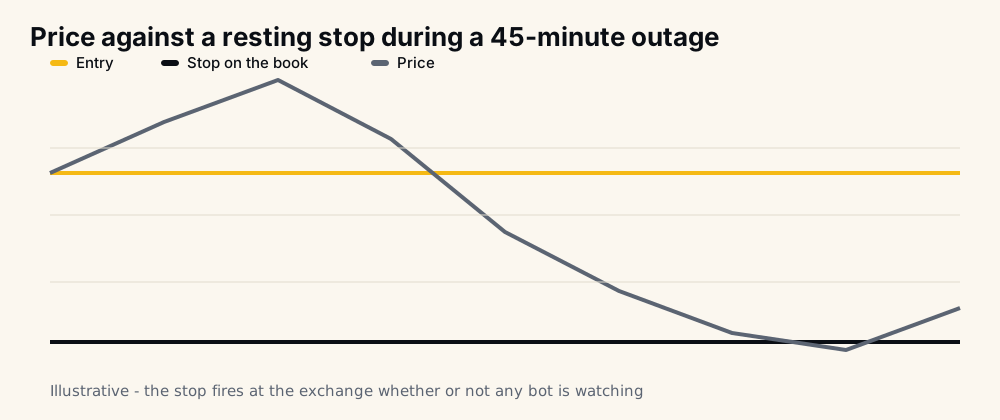
That is why the two settings worth reviewing today, before any outage, are the stop and the position limit. A burst of signals can otherwise open more positions than your wallet should carry. The bot enforces the limit you set rather than one it guesses, and it counts every open position on the account, including the ones it didn't open.
What the bot cannot do, on purpose
HafizeBot never withdraws or transfers money out of your Binance account and never needs withdrawal permission. The key needs only futures trading permission, so create it with withdrawals switched off; if a key you save allows withdrawals, the keys page and the bot warn you. The guide to connecting a bot to a Binance API key safely walks through the permissions, and the short version is that the only permission a trading bot needs is the one to trade.
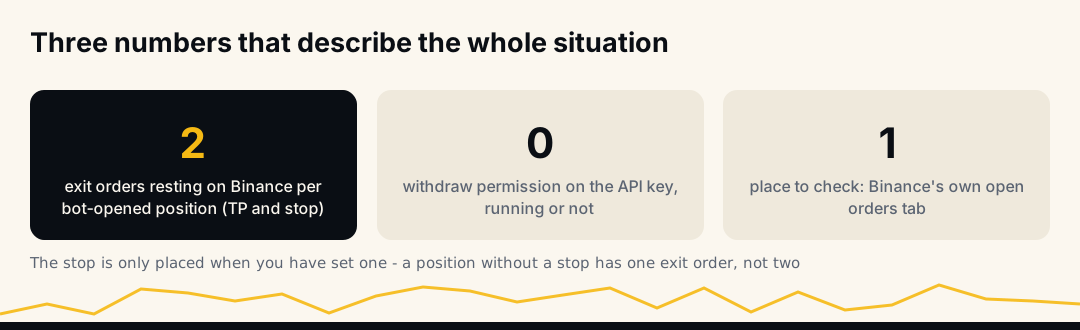
There is also a deliberate limit on what the bot will do without a signal. It never adds to a position on its own: a further entry on a coin comes only from a new signal, and only when your repeat-entry setting and same-coin gap allow it. It does not reopen a trade that stopped out; a coin is entered again only on a later signal, and your coin pause can make it wait after any close. A bot-opened trade closes at its take-profit, at your stop if you set one, by you, or by Binance liquidation. Nothing closes it when the signal expires.
How to see whether any of this is true
The live performance page is regenerated hourly from the same table the bot writes when it sends a signal. It scores the signals, not member accounts: whether each broadcast signal reached its target within the maximum hold. So it would not show an exit that failed on someone's account, and it is not where to check this article. Your own account is: Binance's trade history has every fill, and /myresults in the bot shows what the bot's own orders did on your account over the last 30 days.
For the broader question of whether a bot is worth running at all, are crypto trading bots worth it gives the fuller answer, and is HafizeBot legit collects the evidence rather than the claims. If you want to ask the team directly, the bot itself answers at t.me/hafizebot.
Frequently asked questions
If the bot crashes, will my open position be closed? No. Nothing closes a position except a fill. Your position stays open, and the take-profit and any stop resting on Binance keep working exactly as before. What stops is new entries and fill messages.
Do the take-profit and stop-loss orders survive an outage? Yes. Both are sent to Binance right after the entry is accepted: a reduce-only LIMIT on the book and a reduce-only STOP_MARKET that Binance triggers itself. They are exchange orders, not bot orders, and Binance fills them whether or not the bot is running.
What is an orphan stop and is it dangerous? An orphan is a stop order whose position has already closed, usually because the take-profit filled first. The bot sends stops reduce-only, so an orphan cannot open a position of its own, but it would act on a later position on the same coin. The bot cancels orphans when it sees the close; a close during an outage is not replayed, so check the Open Orders tab afterwards and cancel any stop with no position behind it.
Will the bot enter signals it missed once it restarts? No. A signal from the outage is not replayed. A trade from forty minutes ago is a different trade, and entering it late would be worse than skipping it.
Can the bot withdraw my funds while it is down or running? No. HafizeBot never withdraws or moves money off your account and never needs withdrawal permission. Create the key with withdrawals off; if a saved key allows them, the keys page and the bot warn you.
What should I check first if I cannot reach the bot? The Positions and Open Orders tabs on Binance Futures. Confirm each position has its exit orders, cancel any orphaned stop, and glance at your margin ratio. It takes about two minutes.
Closing note
In short, an outage is only dangerous if the position was already dangerous. Set a stop, cap your simultaneous positions, and the bot going quiet for an hour costs you a missed signal and a leftover stop to clear, nothing more.
None of this is investment advice. Cryptocurrency futures carry a high risk of loss; trade only with money you can afford to lose.