"Order would immediately trigger" (error -2021) means you sent Binance Futures a stop, take-profit or trailing order whose trigger condition is already true. A conditional order is supposed to wait for the price to reach a level; if the price is already past that level, the order would fire the instant it landed, so Binance refuses it instead. Usually the price moved, the trigger sits on the wrong side, or Binance measured the price differently than you did.
What error -2021 actually means
Binance's API documentation lists it as -2021 ORDER_WOULD_IMMEDIATELY_TRIGGER with one line: "Order would immediately trigger." In Python libraries it usually surfaces as APIError(code=-2021): Order would immediately trigger. The app shows the same refusal when you set a stop or take-profit price that the market has already crossed.
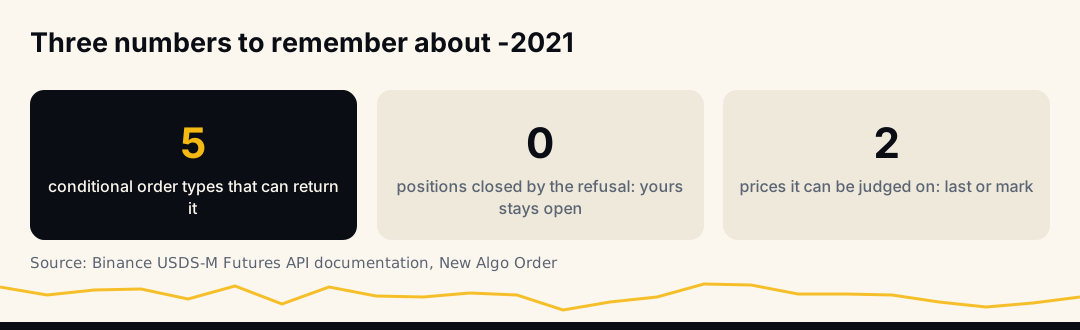
The error only applies to conditional orders, the ones with a trigger price: STOP, STOP_MARKET, TAKE_PROFIT, TAKE_PROFIT_MARKET and TRAILING_STOP_MARKET. A plain limit or market order cannot produce it. In Binance's current API these orders are placed through the Algo Order endpoint as algoType=CONDITIONAL, with the level sent as triggerPrice.
The trigger rules, side by side
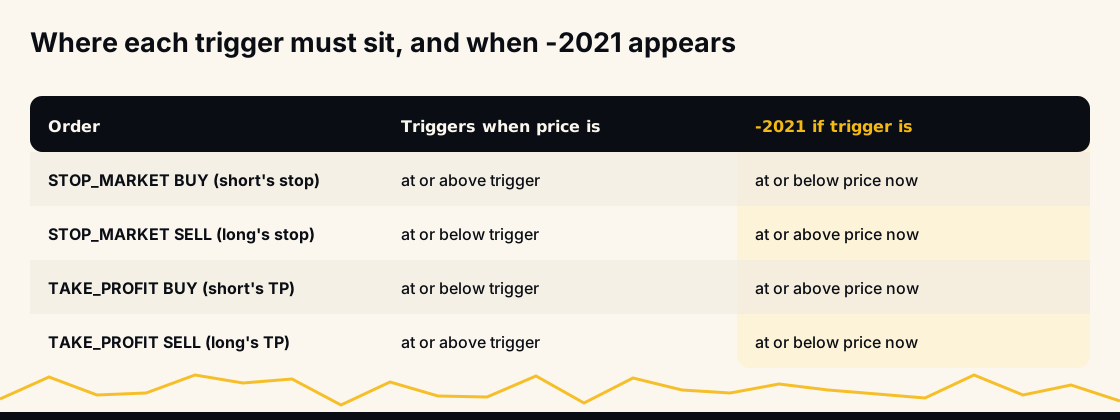
Every conditional order has a direction, and the error is about that direction. Binance's documentation states the conditions like this, where "latest price" is the last traded price or the mark price depending on the order's workingType:
- STOP / STOP_MARKET, BUY: triggers when the latest price is at or above the trigger price.
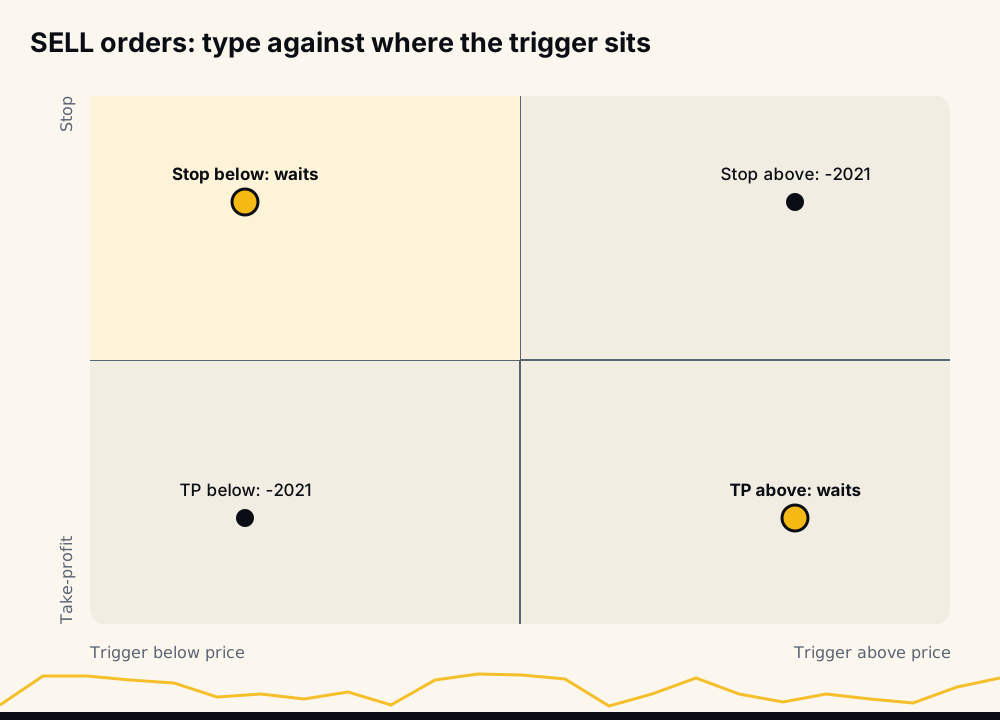
- STOP / STOP_MARKET, SELL: triggers when the latest price is at or below the trigger price.
- TAKE_PROFIT / TAKE_PROFIT_MARKET, BUY: triggers when the latest price is at or below the trigger price.
- TAKE_PROFIT / TAKE_PROFIT_MARKET, SELL: triggers when the latest price is at or above the trigger price.
So a stop-loss for a long is a SELL stop and must sit below the current price; a stop-loss for a short is a BUY stop and must sit above it. Take-profits are the mirror image. Place any of them on the wrong side and the condition is true at once: -2021.
Stop versus take-profit: the same price, opposite meanings
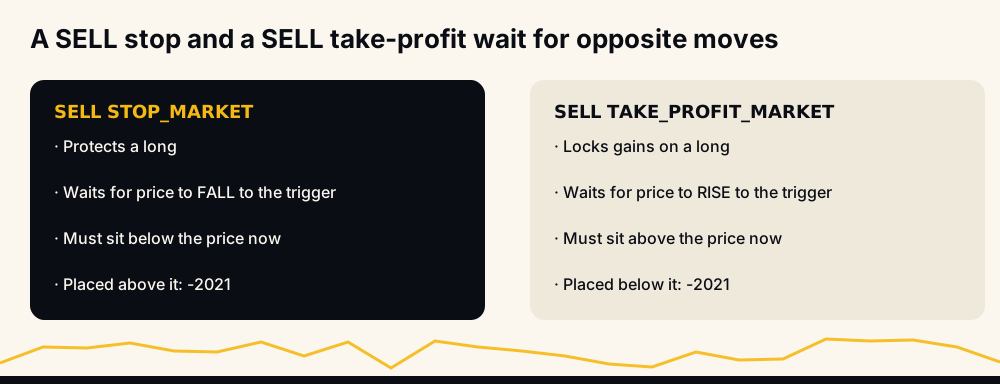
A common confusion is that a stop and a take-profit on the same side look identical: both are "sell when the price reaches X". The difference is the direction Binance waits for. A SELL stop waits for the price to fall to X; a SELL take-profit waits for it to rise to X. If you choose the wrong type for the level you want, the order is either refused with -2021 or, worse, accepted with a meaning you did not intend.
The five causes, in the order to check them
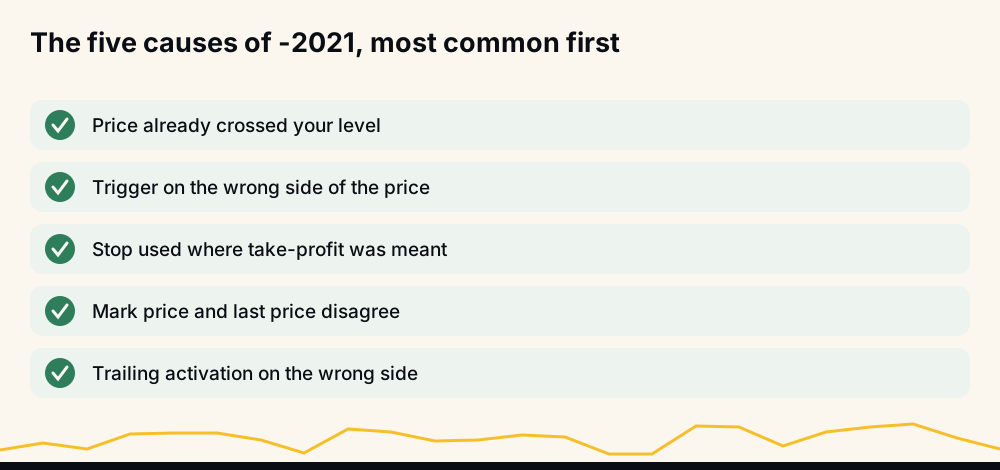
- The price already crossed your level. The most common case by far. You decided on a stop at 58,800, but by the time the order reached Binance the price was 58,700. The stop has, in effect, already been hit.
- The trigger is on the wrong side. A long's stop placed above the price, or a take-profit placed below it, usually from a typo or a sign error in code.
- Wrong order type for the intent.
STOP_MARKETwhere you meantTAKE_PROFIT_MARKET, or the reverse, which flips the direction Binance waits for. - Mark price and last price disagree. With
workingType=MARK_PRICEthe condition is checked against the mark price, which can sit on the other side of your level than the chart's last price, especially in fast markets. - A trailing stop's activation price is on the wrong side. For
TRAILING_STOP_MARKET, Binance's documentation says a BUY's activation price must be below the latest price and a SELL's above it; otherwise -2021.
A worked example: the stop that arrived too late
Take a long entered at 60,000 with a stop 2% below, at 58,800. That stop is a SELL STOP_MARKET with a trigger price of 58,800.
- If the price is 59,900 when the stop is placed, the condition "latest price at or below 58,800" is false. Binance accepts the order and waits.
- If a fast drop took the price to 58,700 between the entry and the stop, the same condition is already true. Binance refuses with -2021.
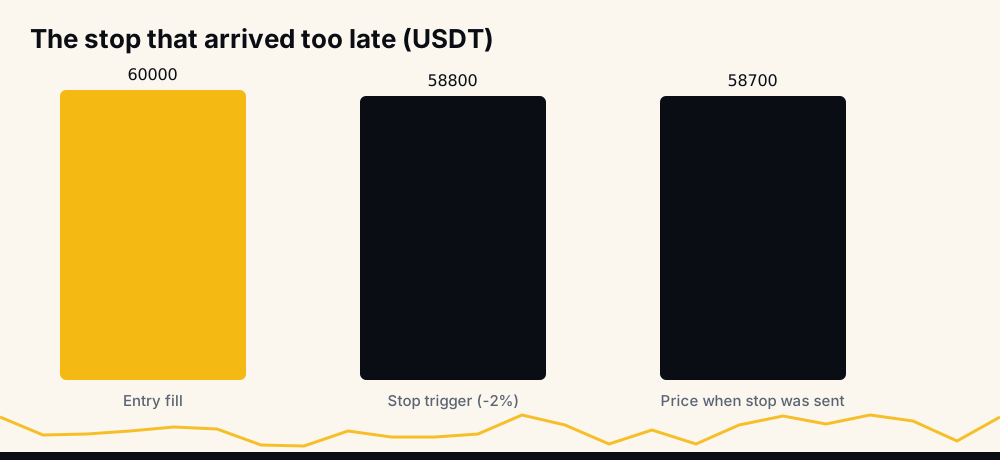
The refusal does not close anything. The position stays open, without the stop you meant to have, at a price already past the point where you wanted out. That is the real risk of -2021, and the next sections are about handling it.
Why it happens most in fast markets
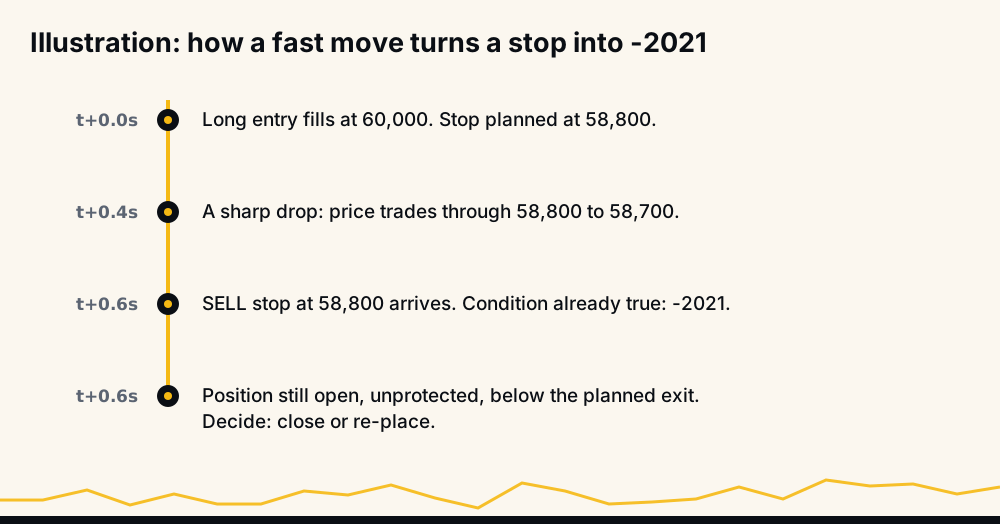
Placing a position and its protection is two steps: the entry fills, then the stop is sent. On a calm market the gap between them changes nothing. On a sharp move, the price can travel further in that moment than the distance to a tight stop, so the stop arrives after its own level. Tight stops, high-volatility coins and news minutes make it more likely.
Mark price or last price: which one triggers your order
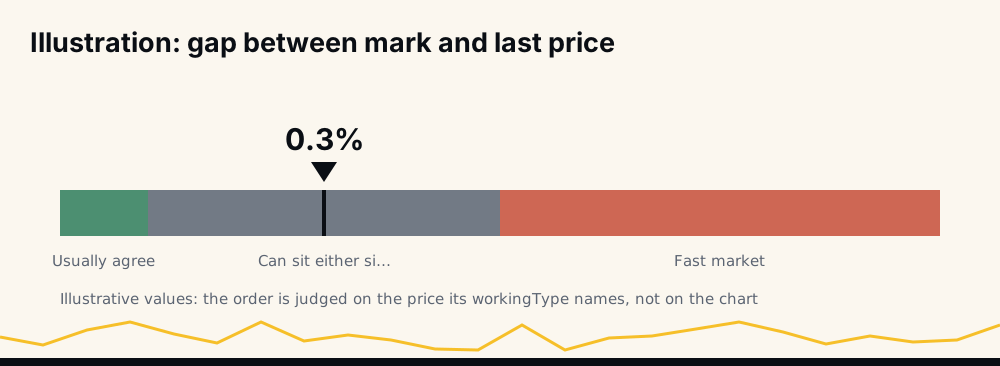
workingType decides which price Binance checks. The default is CONTRACT_PRICE, the last traded price; MARK_PRICE uses the mark price, which is less exposed to one-off wicks. Neither is wrong, but they disagree at times, and the order is judged by the one you chose, not by the candle on your screen.
Binance also offers priceProtect: when it is on, a triggered STOP_MARKET or TAKE_PROFIT_MARKET only executes if the gap between mark and last price is within the symbol's protection threshold. That is a separate safeguard, but it is worth knowing when you compare what triggered with what the chart shows.
How to fix it in the Binance app
- Compare your trigger with the current price shown for the same
workingType(Last or Mark) before you confirm. - Check the direction: for a long, stop below and take-profit above; for a short, the opposite.
- Check the order type matches the intent: Stop Market to limit a loss, Take Profit Market to lock a gain.
- If the price has already gone past your stop, decide consciously: close the position now (it is where your stop would have put you), or set a new stop beyond the current price if you accept more room.
When the price is already past your stop
This is the case that matters most, because the position is open and unprotected. There are three honest options, and each has a cost:
- Close now. A market close, or a reduce-only order, takes you out at roughly where your stop would have filled on a fast move. The loss is a little larger than planned, and it is final.
- Re-place the stop beyond the current price. The position stays open with protection again, but you have accepted a wider stop than you set out with. On leverage, check that the new level is still inside the liquidation distance.
- Wait without a stop. The price may come back, or it may keep going to your liquidation price. This is the option most often chosen by default, by doing nothing, and the one that does the most damage.
What none of them should be is an automatic retry of the original trigger. Write down which one you chose and why, so the next fast move does not catch the same gap.
How to fix it in a bot or API script
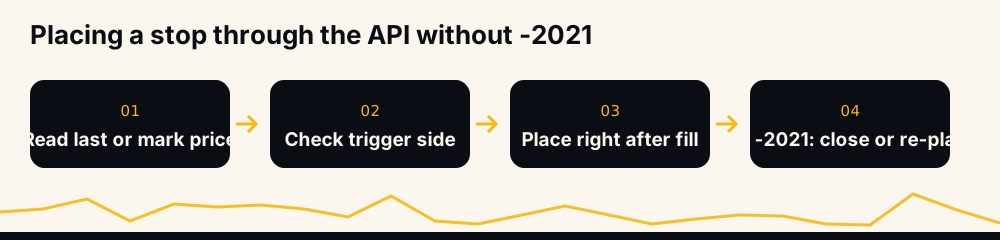
- Read the price your order will be judged on (last or mark, matching
workingType) immediately before placing. - Check the side: refuse to send a SELL stop at or above that price, or a BUY stop at or below it.
- Place the protection as soon as the entry fills, so the window for a fast move is as short as possible.
- On -2021, do not retry the same trigger. The condition is still true. Decide explicitly: close at market with a reduce-only order, or place a new trigger past the current price, and record which you did.
If you close with a reduce-only order, our guide to reduce-only order failures covers the rejections that one can meet. For the margin refusal that sometimes arrives on the same busy minute, see margin is insufficient (-2019).
-2021 next to the errors around it
A few refusals tend to show up on the same busy minutes, and they mean different things:
- -2021, order would immediately trigger: a conditional order's condition is already met. Fix the trigger or decide on an exit.
- -2022, reduce-only order rejected: an exit that would not reduce the position, often because a stop already closed it.
- -2019, margin is insufficient: a new order that costs more than the available balance.
- A stop price below zero: a long's stop set at 100% or more below the entry, which puts the trigger under zero. Binance refuses it outright; the fix is a narrower stop.
Each one leaves the account exactly as it was, and each needs a different fix, so log the code, not just "order failed".
Which combinations fail
The picture below puts the whole rule in one place: order type against where the trigger sits relative to the current price. Two corners are accepted orders that wait; two are refused on arrival.
How HafizeBot handles a refused stop
Members who auto-trade set their own stop as a percentage, and the bot places it on their Binance account after the entry. When Binance refuses a stop, for -2021 or any other reason, the member is told straight away, with Binance's reason in plain words. The bot does not close the position on the member's behalf: whether to exit or give the trade more room is the member's decision.
A stop that is too tight for the coin's normal movement makes -2021 more likely on fast moves. Our guide on how to set a stop-loss in crypto covers sizing it, and how leverage trading works explains why a stop must also sit inside the liquidation distance at your leverage.
Frequently asked questions
What does "order would immediately trigger" mean on Binance? Your stop, take-profit or trailing order has a trigger condition that is already true at the current price, so it would execute the moment it was placed. Binance refuses it instead. Check that the trigger is on the correct side of the current price for the order's type and side.
What is APIError code -2021?
It is ORDER_WOULD_IMMEDIATELY_TRIGGER in the Binance USDⓈ-M Futures API. It applies only to conditional orders, and it usually means the price has already moved past the trigger or the trigger sits on the wrong side.
Why does my stop-loss say order would immediately trigger? For a long, the stop is a SELL stop and must be below the price; for a short, a BUY stop above it. If the price already fell below a long's stop level, or rose above a short's, the stop would fire at once and is refused.
Is my position still open after -2021? Yes. The refusal places nothing and closes nothing, so the position stays open without the protection you sent. Decide right away whether to close it or set a new stop past the current price.
Does -2021 depend on mark price or last price?
It depends on the order's workingType. The default is the last traded price (CONTRACT_PRICE); with MARK_PRICE the condition is checked against the mark price, which can differ during fast moves.
How do I fix -2021 for a trailing stop? Set the activation price on the correct side: below the latest price for a BUY trailing stop, above it for a SELL. Otherwise Binance treats it as already activated and refuses it.
The short version
Error -2021 means the trigger is already met. Check the price Binance will use, the side and the order type; place protection right after the entry; and when a stop is refused because the price already went through it, make an explicit decision rather than resending the same order.
Every signal HafizeBot sends is published with its result on the performance page, misses included, and the same signals reach the free Telegram channel 20 minutes after VIP. This is information, not investment advice: leveraged futures can lose more than you expect, so trade only what you can afford to lose.